Google CLI Release
Google released Gemini CLI on June 26, 2025, joining the Agent CLI competition. Developers can use their personal Google account to log in and use Gemini CLI for free.
It provides Gemini 2.5 Pro with a 100 token context window. The model request quota can reach 60 requests per minute and up to 1,000 model executions per day — all completely free.
Comparing Claude Code and Gemini CLI
After initially trying Gemini CLI, I found that the usage experience isn’t very different from Claude Code.
It also supports non-interactive mode, MCP integration, and notably has native support for GoogleSearch and WebFetch functionality.
For memory management, you can use --checkpoint to manage memory usage and -s to enter sandbox mode, avoiding pollution of the local environment.
| Feature | Claude Code | Gemini CLI |
|---|---|---|
| Installation | npm install -g @anthropic-ai/claude-code |
npm install -g @google/gemini-cli |
| MCP Support | ✅ | ✅ |
| Telemetry | ✅ | ✅ |
| Memory Management | Uses CLAUDE.md for memory management |
Supports --checkpointing to save and restore conversation and file state |
| Security | Permissions configurable via settings.json |
Uses -s flag to sandbox commands, avoiding unnecessary system changes |
| Requirements | Requires Claude Pro subscription | Free to use, only needs Google account; 60 model requests per minute, up to 1,000 per day |
Installing Gemini CLI:
1 | npm install -g @google/gemini-cli |
After successful installation, you’ll see the following message:
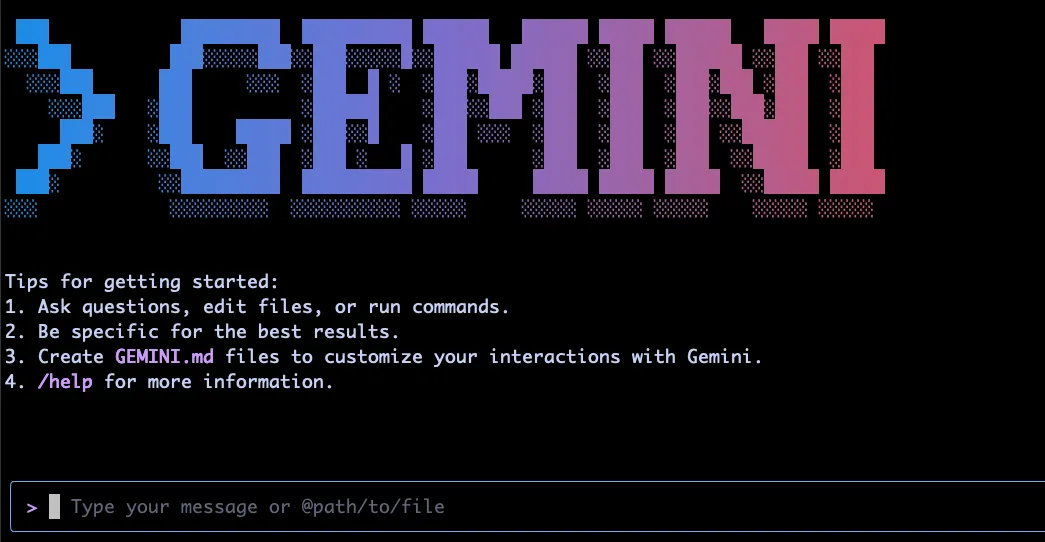
Now you can start using Gemini CLI. Here are some basic commands:
View token usage
1 | /stats |
List available tools
1 | /tools |
Execute commands without entering interactive mode
1 | gemini -p "your prompt" |
Will Claude Code Fall from Grace?
For now, Claude Code remains a solid choice, especially with its integration across different platforms. Claude 4’s code comprehension and problem-solving capabilities are also outstanding. However, Gemini CLI offers a great alternative for users who don’t want to pay, and being fully open source brings more possibilities to the product.